

长沙中心


 AI智能应用开发
 AI大模型开发
 AI鸿蒙开发
 AI嵌入式+
 AI大数据开发
 AI运维
AI运维 AI测试
AI测试 跨境电商运营
 AI设计
AI设计 AI视频创作运营
免费领取黑马程序员AI通道专属星级课程资料

更新时间:2017-04-16 来源:黑马程序员Java培训学院 浏览量:
 下载案例源代码,如下所示:
| <body> This is my JSP page. <br> <% request.setAttribute("request_attribute", "request_haha"); %> ${request_attribute } </body> |
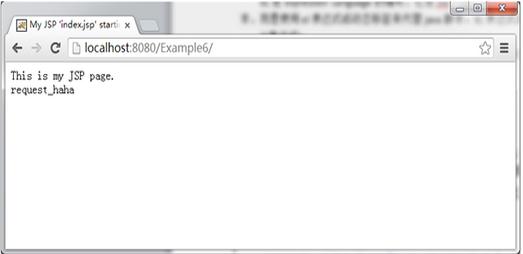
| <body> This is my JSP page. <br> <% pageContext.setAttribute("attribute", "pageContext_haha"); session.setAttribute("attribute", "session_haha"); application.setAttribute("attribute", "application_haha"); request.setAttribute("attribute", "request_haha"); %> ${attribute } </body> |
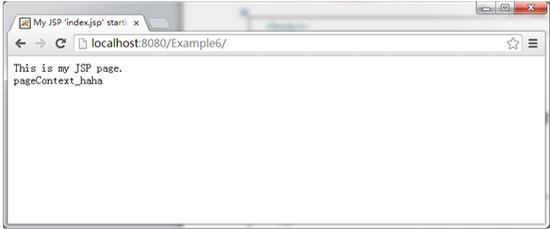
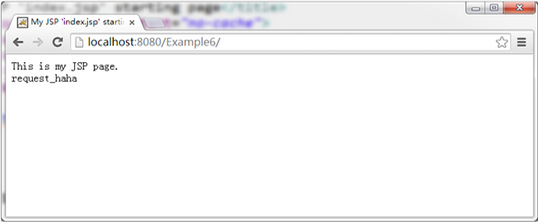
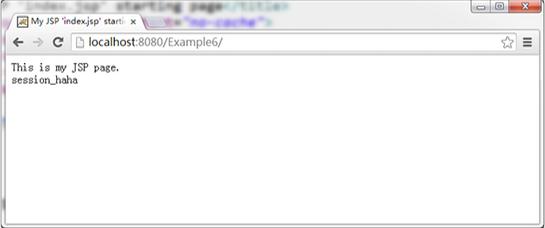

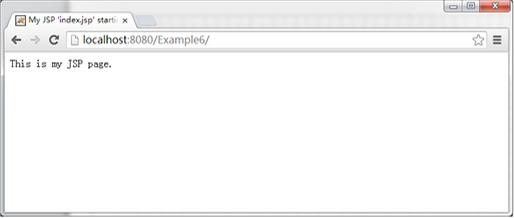
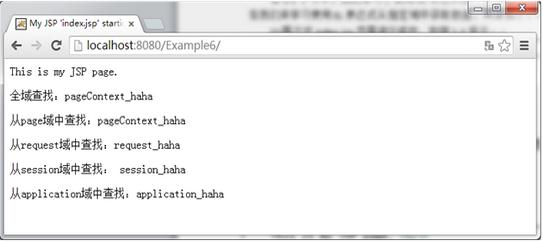
| <body> This is my JSP page. <br> <% request.setAttribute("attribute", "request_haha"); pageContext.setAttribute("attribute", "pageContext_haha"); session.setAttribute("attribute", "session_haha"); application.setAttribute("attribute", "application_haha"); %> <p>全域查找:${attribute }</p> <p>从page域中查找:${pageScope.attribute }</p> <p>从request域中查找:${requestScope.attribute }</p> <p>从session域中查找: ${sessionScope.attribute }</p> <p>从application域中查找:${applicationScope.attribute }</p> </body> |
| public class Address { private String city; private String street; 此处省略Address类的成员变量的get/set方法 @Override public String toString() { return "Address [city=" + city + ", street=" + street + "]"; } } |
| public class Employee { private String name; private double salary; private Address address; 此处省略Employee类的成员变量的get/set方法 @Override public String toString() { return "Employee [name=" + name + ", salary=" + salary + ", address=" + address + "]"; } } |
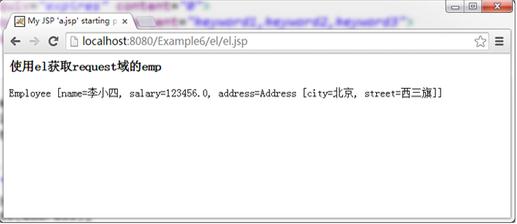
| <%@ page import="cn.itcast.domain.*" %><!—由于在跟页面中需要使用Address,Employee类,所以这里需要将它们导入--> <body> <% Address address = new Address(); address.setCity("北京"); address.setStreet("西三旗"); Employee emp = new Employee(); emp.setName("李小四"); emp.setSalary(123456); emp.setAddress(address); request.setAttribute("emp", emp); %> <h3>使用el获取request域的emp</h3> ${requestScope.emp }<br/> </body> |
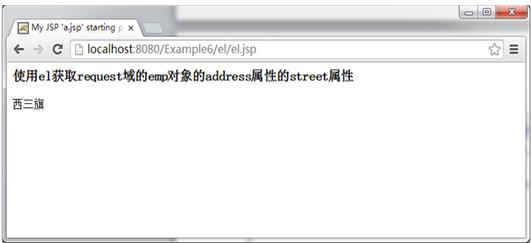
| ... ... <h3>使用el获取request域的emp对象的address属性的street属性</h3> ${requestScope.emp.address.street} ... ... |
| 此处省略例1-5中的代码 public String getHehe() { return "我去..."; } |
| 此处省略例1-6中的代码 ${emp.hehe } |
(9)重新启动服务器,访问index.jsp页面,浏览器显示结果如图1-10所示:
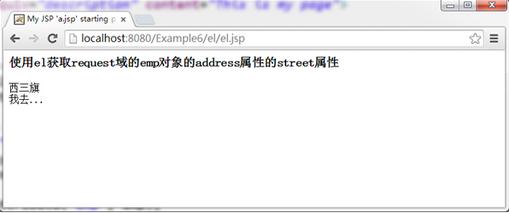
图1-10 浏览器显示结果
由图1-10可知,Employee类中虽然没有名称为”hehe”的成员变量,但是提供了get方法,因此hehe就是Employee的属性,那么在jsp页面中就能通过el表达式${emp.hehe}输出该方法的返回值,进一步说明该el表达式底层就是调用javaBean的get方法。
| 运算符 | 说明 | 范例 | 结果 |
| + | 加 | ${17+5} | 22 |
| - | 减 | ${17-5} | 12 |
| * | 乘 | ${17*5} | 85 |
| /或div | 除 | ${17/5}或${17 div 5} | 3 |
| %或mod | 取余 | ${17%5}或${17 mod 5} | 2 |
| ==或eq | 等于 | ${5==5}或${5 eq 5} | true |
| !=或ne | 不等于 | ${5!=5}或${5 ne 5} | false |
| <或lt | 小于 | ${3<5}或${3 lt 5} | true |
| >或gt | 大于 | ${3>5}或${3 gt 5} | false |
| <=或le | 小于等于 | ${3<=5}或${3 le 5} | true |
| >=或ge | 大于等于 | ${3>=5}或${3 ge 5} | false |
| &&或and | 并且 | ${true&&false}或${true and false} | false |
| !或not | 非 | ${!true}或${not true} | false |
| ||或or | 或者 | ${true||false}或${true or false} | true |
| empty | 是否为空 | ${empty “”},可以判断字符串、数据、集合的长度是否为0,为0返回true。empty还可以与not或!一起使用。${not empty “”} | true |
本文版权归黑马程序员Java培训学院所有,欢迎转载,转载请注明作者出处。谢谢!
作者:黑马程序员Java培训学院
首发:http://www.itheima.com/special/hmjavaeezly/

















.jpg)